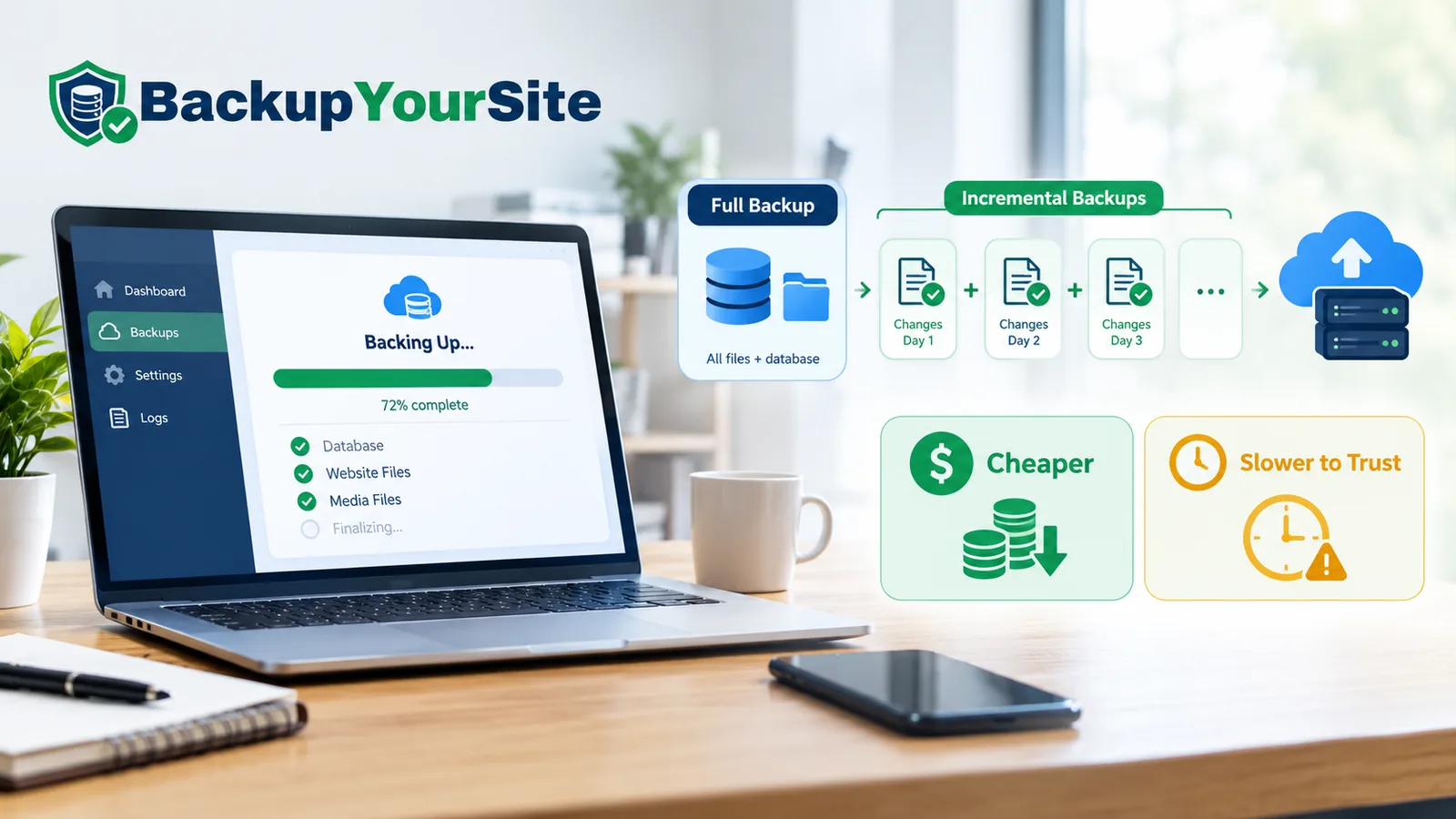
What "Full," "Incremental," and "Differential" Actually Mean
Most explanations of backup strategy reach for a metaphor. Photocopies. Snapshots. Layers of paint. Skip that. A backup is a set of bytes. The three strategies differ in exactly which bytes they write, and that's the whole story.
A full backup copies every byte in the dataset, every time it runs. If a WordPress install is 10 GB today, a full backup writes 10 GB today. It writes 10 GB tomorrow. It writes 10 GB the day after that, regardless of how little actually changed in between. A differential backup copies every byte that has changed since the last full. An incremental backup copies every byte that has changed since the last backup of any kind, full or incremental. That one-word difference, "last full" versus "last backup," is the entire reason incremental chains are smaller and incremental chains are fragile.
BackupYourSite runs all three modes under the hood. The byte-level distinction matters more to a site owner's actual risk than any marketing page lets on. Vendors sell incremental as strictly better because it's smaller and faster to take. That part is true. It's also only half the story, and the other half is what this piece is about.
According to Acronis's backup engineering documentation, the core distinction between incremental and differential comes down to what each backup is measured against — a point that gets lost in most comparison articles once they start talking about speed and storage instead of mechanics.
The Trade Vendors Don't Lead With: Chain Dependency and Blast Radius
A full backup restores on its own. An incremental backup does not. It restores only as part of a chain: the last full, plus every incremental taken since, applied in order. That chain is the catch nobody puts on a pricing page.
If increment #7 in a 14-link chain is corrupt — a dropped byte from a network blip, a half-written file from a crash mid-backup, a bad block on the storage target — increments #8 through #14 are suspect too. Each one assumes the previous state was intact. Picture it: the full restores cleanly, the first six increments apply cleanly, then increment #7 throws a checksum mismatch that invalidates the rest of the chain. The site owner had "30 days of backups" on paper and, in practice, a usable restore point from 23 days ago.
This is the blast radius problem. One corrupt link doesn't cost you one day of data. It costs you every day after that link. PhoenixNAP's comparison of the three strategies reports that incremental's main structural weakness is exactly this dependency chain — a risk that scales with how long you go between full backups, not with how often something actually breaks. A full-backup-only strategy has zero chain dependency by definition. Every restore point stands alone.
A corrupt link is rare on any single chain. But when it happens on day 23 of a 30-day retention window, "rare" is not the word the site owner uses.
Restore Time, Spelled Out: Full + N Increments + Verification
Restore time is rarely quoted anywhere, because it makes incremental look worse than storage cost makes it look good. The formula is simple: restore time equals the time to restore the last full, plus the time to apply each increment in the chain in order, plus the time to verify the result.
Here's what that looks like on a representative 5–15 GB site, for the four common strategies:
| Strategy | Chain length (30-day window) | Typical restore time, 10 GB site | Failure points in the chain |
|---|---|---|---|
| Full backup daily | 1 (the chosen day) | 12–18 minutes | 1 |
| Full weekly + incremental daily | 1–7 | 15–40 minutes | 1–7 |
| Full monthly + incremental daily | 1–30 | 20–95 minutes | 1–30 |
| Full monthly + differential daily | 2 (full + one differential) | 18–35 minutes | 2 |
Differential sits in a sweet spot most comparison articles skip over. It never needs more than two files to restore: the last full and the latest differential. Each differential already contains everything changed since the full. The trade is storage efficiency for a restore chain that can never exceed two links, no matter how long the retention window runs.
The GeeksforGeeks DBMS reference on incremental versus differential frames this the same way from the systems side: differential trades redundant storage for a flatter, shorter restore path, which is precisely what shows up in the restore-time column above.
30 Days of Backups on a 10 GB WordPress Site: The Real Storage Math
Here's where incremental earns its reputation, with real numbers instead of a vague "saves space" claim. Assume a 10 GB WordPress site with a change rate of roughly 2% of bytes per day: new media uploads, database writes, plugin updates — a reasonable rate for a typical content-and-commerce site of that size.
| Strategy | Daily backup size | 30-day total storage | vs. full-daily |
|---|---|---|---|
| Full backup, every day | 10 GB | 300 GB | baseline |
| Full once, incremental daily (2%/day) | 10 GB day 1, then ~200 MB/day | ~15.8 GB | 95% less |
| Full once, differential daily (2%/day, cumulative) | 10 GB day 1, growing from ~200 MB to ~6 GB | ~103 GB | 66% less |
| Full weekly, incremental daily | 10 GB weekly resets, ~200 MB daily between | ~47 GB | 84% less |
Pure incremental off a single full backup wins on storage by a wide margin. 15.8 GB versus 300 GB over 30 days is not a marginal difference; it's the number every incremental pricing pitch is built on. But that 15.8 GB figure assumes the single full backup everything else depends on, taken once, stays perfectly intact for 30 straight days on whatever storage target holds it. Differential costs more storage because each day's differential re-copies everything changed since the full, not just since yesterday. In exchange, it never asks you to trust a 30-link chain to get your site back.
RunCloud's breakdown of the three backup types found that most managed-hosting customers underestimate how fast differential backups grow relative to incremental over a multi-week window — which matches the 103 GB figure above against the 15.8 GB incremental number for the same 30 days.
Synthetic Fulls: Incremental Economics Without the Restore Risk
This is the part vendor pricing pages almost never explain, and it's the actual answer to the full-versus-incremental trade-off: a synthetic full.
A synthetic full is built by the backup system itself, not re-copied from the live site. It takes the last real full backup plus the incremental chain since, and merges them — server-side, without touching your site again — into a brand-new full backup file. The site owner gets the restore safety of a true full (one file, no chain, no dependency) at close to the storage and bandwidth cost of an incremental.
The practical pattern we recommend, and the one BackupYourSite's backup strategy is built around: take a real full on day 1, run incrementals daily, and generate a synthetic full on a fixed cadence — weekly by default — so no restore point you'd actually reach for is more than six or seven increments deep. This caps the blast radius described earlier without paying full-backup storage costs every single day. It's the same logic enterprise backup vendors have used for over a decade. It's just rarely explained in plain language on a pricing page.
With a weekly cadence, a chain that actually needs a restore is rarely more than a handful of increments deep at the point of failure, not 20 or 30. A weekly synthetic-full cap doesn't eliminate chain risk. It keeps the blast radius small enough that a single bad link costs you a day or two, not a month.
Per-Increment Verification: "Stored" Is Not "Restorable"
Here's the gap that costs people the most, and it has nothing to do with which strategy you pick. A backup that completed without an error is not the same thing as a backup that will restore. "Stored" means the write finished. "Restorable" means someone actually opened the archive, checked the file integrity against the checksum recorded at write time, and, in the strongest version, test-restored it to a sandbox and confirmed the site loads.
Every increment in a chain should be tested the same way: checksum verification on write, then a scheduled test restore on a rotating sample, logged with a pass/fail result and a timestamp. The failures this catches are almost never in the full backup. They're typically buried a few increments deep, in a link nobody looks at until the day they need it. A corrupt link found during routine verification costs you a re-run. The same corrupt link found during an actual emergency restore costs you the site.
Per the backup engineering guidance cited across this space, the only way to know a chain is restorable is to have tested it, not to have inferred it from the absence of an error message during the backup job itself.
The One Question to Ask Any Backup Vendor
Skip the feature-comparison table most vendors push you toward. Ask this instead: how often is a real, not synthetic, full backup taken, and is every increment in the chain verified, or only logged as "completed"?
If the answer is "we take incrementals forever off one full from setup day," ask how old that original full backup now is, and whether it has ever been re-verified since. If the answer is "verification means the job didn't error," that is not the same claim as "we confirmed this restores." A vendor that can answer both parts of the question with specifics — a stated cadence for real fulls, and a described verification method — is telling you something a pricing page can't. They've thought about the day you actually need the restore, not just the day you take the backup.
For a breakdown of what backup plans typically cost once storage tier and retention window are factored in, see our 2026 website backup cost guide. This piece is about the bytes. That one is about the bill.
What This Looks Like in Practice, Day to Day
A site owner doesn't need to pick one pure strategy and defend it forever. In practice, the sites that hold up best over a full year run a blended cadence: a real full on day 1 of each billing cycle, daily incrementals through the month, and a synthetic full generated every 7 days so the longest chain anyone would ever actually restore from tops out around a week.
For a 10 GB site on this cadence, 30-day storage lands closer to the "full weekly" row in the table above (~47 GB) than the pure-incremental row (~15.8 GB). That's the price of capping the blast radius. For most small business sites, the difference between 15.8 GB and 47 GB of backup storage costs a few dollars a month. The difference between a 4-link restore chain and a 30-link restore chain, on the one day you actually need a restore, is not a few dollars — it's whether the site comes back at all.
This is also why we built automatic synthetic-full generation into BackupYourSite's scheduling rather than leaving it as a setting most people never touch. That keeps storage costs predictable for most sites while the blast radius stays capped. See the full feature list for how the cadence is configured per plan, and pricing for which tiers include synthetic fulls by default.
A Worked Example: What Actually Happens When You Click "Restore"
Numbers in a table are one thing. Watching a restore run is another. Here's what the process looks like on a full monthly + incremental daily setup, 18 days into the cycle, on a 10 GB WordPress site.
The restore engine first pulls the day-1 full backup from storage. That's 10 GB, and on a typical connection it takes 4–6 minutes just to transfer and unpack. Then it applies increment #1, checks the file manifest against the stored checksum, and writes the changed bytes into place. That takes 30–90 seconds per increment, depending on how much changed that day. Then it repeats for increment #2. Then #3. All the way to #18.
If every increment checks out, the whole process finishes in 20–35 minutes and the site is back. If increment #11 fails its checksum check, the restore engine has two options: stop and flag the failure, or skip the bad increment and keep applying the rest, which usually corrupts the site in a different, harder-to-diagnose way. We configure BackupYourSite to stop and flag, because a clean failure you can see is always better than a silent one you discover three days later when a page won't load.
This is also why it's worth test-restoring a rotating sample of sites regularly rather than waiting for a real emergency to find out whether a chain works. A chain failing partway through tends to happen in the second half of a long incremental run with no full backup reset in between, and the next scheduled synthetic full is usually what catches and fixes it — before anyone ever needs an actual restore. That's the entire point of testing a chain before you need it: the failure becomes a maintenance ticket instead of a crisis call.
Frequently Asked Questions
Is incremental backup safe for a production WordPress site?
Yes, as long as the chain has a cap. An incremental chain that's never been reset with a new full or synthetic full for 60+ days carries real restore risk. Capped at roughly a week between fulls, real or synthetic, with per-increment verification, it's a sound default. See how BackupYourSite's backup strategy works for the specifics of the schedule.
What's the real difference between incremental and differential backup?
Incremental copies only what changed since the last backup of any kind, which means the smallest files and the longest possible restore chain. Differential copies everything changed since the last full backup, which means larger files but a restore chain that's always just two links: full plus latest differential.
How long should a backup chain be before I take a new full?
We generally recommend a new real or synthetic full at least once a week for an active site, and more often for a site with heavy daily content or e-commerce transaction volume, where losing even one day's writes is expensive.
Does a bigger storage saving from incremental backups mean lower risk?
No, it's the opposite trade. Storage savings and chain-dependency risk move in the same direction. The longer you go on incrementals without a new full, the cheaper it is to store and the longer the chain a single corrupt link can break.
What does "synthetic full" mean and do I need to request it?
A synthetic full is a full backup the system assembles from your last full plus the incremental chain, without re-reading your live site. BackupYourSite generates these automatically on a schedule. See our full feature list for how it's configured per plan.