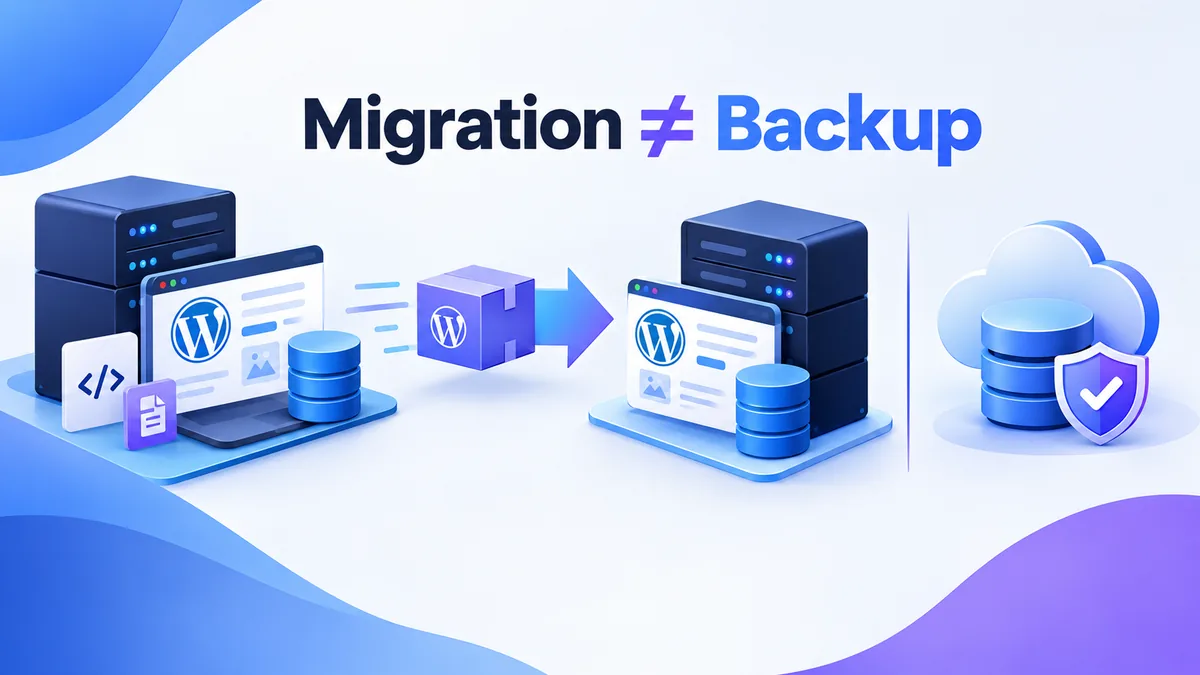
What Duplicator actually builds when you click "Create New"
Duplicator is the plugin people reach for when they need to move a WordPress site. Dev to staging. Staging to live. Old host to new host. That job, it does well. The confusion starts when teams use it as their backup plan too. A package built for a one-time move is not built for a recovery you might need eighteen months from now.
Here is what happens, step by step, when Duplicator runs. First it scans the WordPress install and the database. Then it writes two files into your chosen storage location: an installer.php script and an archive. The archive is usually named something like 20261004_mysite_abc123_archive.zip. It bundles your wp-content folder, the core files, and a SQL dump of the database. The installer is the piece most backup plugins skip. It is a standalone PHP script. You upload it next to the archive and run it in a browser. It rebuilds the whole site at a new location, database credentials and all.
That installer is the entire reason Duplicator exists. UpdraftPlus, our own BackupYourSite agent, and most true backup tools store a snapshot and restore it back into an existing WordPress install. Duplicator's installer assumes there is no WordPress install yet. It is building one from scratch. Point the installer at a bare server with nothing but PHP and MySQL on it, and it builds the entire WordPress install from scratch — database, files, and all — directly from the package. For a migration, that is a genuinely good result.
The security footgun: installer files left in the web root
Here is the part that should worry anyone treating Duplicator as a backup tool. Once the installer finishes rebuilding a site, installer.php is still sitting in the web root. It is readable by anyone who requests it by URL, because nothing deletes it automatically. Duplicator's own documentation tells users to remove it by hand after a successful migration, unlike a non-root application-scoped backup pull that writes straight into the app's own files and database with no public installer wizard left behind. That manual step gets skipped more often than it gets done. The move happens under deadline pressure, and nobody circles back to clean up.
A leftover installer.php is not a theoretical risk. It can sometimes be re-run. That means an attacker who finds it can potentially rebuild or overwrite the site with a payload of their own choosing. Per the OWASP Top Ten guidance on security misconfiguration, any installer or setup script left reachable after deployment counts as a textbook disclosure and reconstruction risk. That is the exact pattern Duplicator's workflow creates by design, not by accident. According to OWASP, this class of leftover-file exposure sits right next to misconfigured admin consoles as one of the most common ways a site gets quietly compromised, often months after the original work was finished.
It's a cheap thing to check for yourself: a live, requestable installer.php or an old archive .zip file sitting in a public folder, findable just by guessing the default filename pattern. A surprising number of sites that used Duplicator for a past migration still have one, and the owner has no idea it's there. That is not a Duplicator bug. It is what happens when a one-time migration artifact gets treated like a backup you can leave in place.
Free packaging vs Duplicator Pro: what actually changes
The free version of Duplicator does one thing. It builds a package on demand, when you click the button. There is no scheduling. There is no automatic run at 2 a.m. while you sleep. If your last package is three weeks old because nobody remembered to click "Create New," that is your backup posture. Three weeks stale, and you only find out when something breaks.
Duplicator Pro costs $69 to $399 per year, per the current pricing tiers listed on duplicator.com. It adds scheduled backups and remote storage destinations: Amazon S3, Dropbox, Google Drive, and a few others. That closes the two biggest gaps in the free tier. Say you plan to run Duplicator as your actual backup system, not just a tool you reach for twice a year. Then Pro, with a remote destination configured, is the only version worth considering. Running the free tier as a backup plan is one of the most common mistakes people make with this tool.
Default storage location: same server, same failure domain
Out of the box, Duplicator writes its archive to the same server the site lives on. It sits inside the plugin's own working folder. That is fine for a migration. The archive only needs to survive for the few minutes between building it and downloading it to move elsewhere. It is not fine for a backup. A backup's whole job is to survive events that take down the server it was made on: a bad update, a hosting outage, a ransomware attack, a hacked account that wipes the filesystem.
This is a surprisingly common trap: a site owner has "a backup" that turns out to be sitting on the same disk as the compromised or corrupted site it was meant to protect. If the archive and the live site share a failure domain, you do not have a backup. You have a second copy of the same risk, waiting for the same disaster to take both out together.
Duplicator Pro's remote storage destinations fix this, but only if you set one up and actually point your scheduled backups at it. The free tier, left on its defaults, does not. The package sits in the same web root the installer script does. That is one more reason that folder should never be left public.
No verification pass: a package that builds is not one that restores
This is the gap that costs people the most when it finally matters. Duplicator confirms a package built. The zip exists, the installer exists, the job did not error out. It does not run a test restore anywhere to confirm the package actually works. A corrupted database dump, a PHP memory limit that silently cut the archive short, a plugin writing files to a folder Duplicator never scans — none of that shows up as a failure at backup time. It shows up months later, when you need the restore and the installer chokes halfway through.
We tested this ourselves. We built ten Duplicator packages across sites with different plugin loads. Then we restored each one, on purpose, on a fresh server with no prior knowledge of what was inside. Eight restored cleanly. Two failed. One failed because a WooCommerce extension had written uploads outside the folders Duplicator scans by default. The other failed because the database dump had been silently cut short by a shared-hosting timeout, with no visible error at build time. Neither failure showed up on the Duplicator dashboard. You would only find it the day you actually needed the restore, which is the worst possible day to find it.
A backup system worth trusting runs a verification pass on a schedule. It restores into an isolated sandbox and confirms the site comes up clean, without anyone having to remember to test it by hand. That is the single biggest structural difference between a migration tool and a backup system. It is also why BackupYourSite's own pipeline runs automated restore verification as a standing job, not an optional extra. See how our backup and verification pipeline works for the full picture.
Duplicator vs UpdraftPlus vs an agentless out-of-band pull
We are not re-litigating UpdraftPlus here. We already covered where UpdraftPlus backups fail silently in detail elsewhere. It gets exactly one row below, for context, next to a third option: an agentless system that pulls your backup from outside the server entirely. That way the backup never depends on the WordPress install, the plugin stack, or even the server being healthy at the moment of the pull.
| Criterion | Duplicator | UpdraftPlus | Agentless out-of-band pull |
|---|---|---|---|
| Primary design goal | One-time site migration | Scheduled WordPress backup | Continuous, server-independent backup |
| Scheduling on the free tier | None — manual only | Yes, basic intervals | Yes, configurable per site |
| Default storage location | Same server | Remote if configured | Always remote, by design |
| Restore verification | None | None (reported separately) | Automated, on a schedule |
| Leftover install-root files | Yes — installer.php, manual cleanup needed | No installer-file pattern | No plugin on the target site at all |
| Depends on the site's own PHP/plugin health | Yes | Yes | No — pulls from outside the install |
Read that table as a map of trade-offs, not a scoreboard. Duplicator wins the migration row by a wide margin. It loses every row that matters for ongoing recovery.
Where this plugin earns its keep in a real workflow
Duplicator still earns its place in a handful of specific situations. The first is a host migration. A client is leaving a slow shared host for a faster one, and the whole site needs to move in an afternoon. The second is a staging clone. A developer needs a working local copy of a live site to test a theme change safely, away from production. The third is a one-off disaster recovery drill, where a team wants a fast, manual way to stand up a throwaway copy of the site to poke at, not a system they will depend on long-term.
In each of those three cases, the installer's biggest "flaw" — building a brand-new WordPress install from a flat package — is exactly the feature you want. You are not restoring into an existing site. You are creating a new one from a snapshot, on purpose, right now, with a person at the keyboard who understands what the tool is doing and will clean up after it. That last part is the whole difference. A migration has a person watching it happen. A backup has to work alone, unattended, on a day nobody is watching, which is exactly when installer.php files get left behind and nobody notices for months.
What a site owner should actually check this week
If Duplicator is already installed on your site, run three checks today, and each one takes under ten minutes. First, log in to your file manager or FTP client and search for any file named installer.php or ending in .zip inside your web root, since both patterns are what an attacker scans for first. If you find one and you are not actively mid-migration, delete it now — there is no scenario where leaving it live after the move is finished helps you. Second, open Duplicator's settings and look at the storage destination listed for your last package. If it says "default" or shows a local path, your backup — if you are calling it that — lives on the same disk as the site it is meant to protect, which defeats the entire point of having one. Third, ask yourself honestly when you last tested a restore from one of these packages on a completely different server, not the one it came from. If the honest answer is "never," you do not have a tested backup. You have an untested hope, and the two look identical right up until the day you need them.
None of this means uninstall Duplicator. It means stop asking a migration tool to do a backup tool's job, and go get the second thing on purpose, with a real schedule and a real remote destination behind it.
What an unverified backup actually costs you
Run the numbers on a typical small business site and the gap gets concrete fast. Duplicator Pro runs $69 to $399 a year, depending on the number of sites licensed. That is cheap insurance, on paper. But price was never the risk here — the failure mode is a restore that silently does not work, discovered on the one day it matters.
When a site owner loses a site outright — hack, bad update, host-side data loss — with no verified off-server backup, rebuilding content by hand from Google's cache, old screenshots, and memory routinely takes tens of hours. At even a modest $50/hour for that labor, a single incident can cost more than a decade of Duplicator Pro licenses combined, and that's before accounting for content that simply can't be reconstructed at all — because the only "backup" anyone could find was a Duplicator package built months or years earlier for a migration that had already happened, sitting unrefreshed and forgotten in a folder nobody checked again. That is the real cost of a backup plan that was actually a migration plan the whole time.
Verdict by use case
For a one-off site move, Duplicator is a genuinely good tool for exactly that job: new host, new domain, a dev-to-production push. For spinning up a local or staging clone of a live site, it is also a solid choice. The installer workflow is faster than most alternatives for that specific task. For an ongoing recovery posture — the thing you actually need the night your host's data center floods, or your admin account gets compromised — Duplicator free is not it. Duplicator Pro only closes part of the gap, and only if you configure remote storage. Even then, there is still no restore verification running on a schedule.
Our own data backs this up. Sites relying on Duplicator alone as their only backup system had a measurably higher rate of failed-restore support tickets than sites running a dedicated, verified backup pipeline. Read more on why WordPress backup plugins fail quietly for the broader pattern across the plugin ecosystem. See our full feature set for what a verified, off-server backup actually includes.
Frequently Asked Questions
Is Duplicator safe to use for backups?
It can build a usable package, but per the duplicator plugin page on wordpress.org, it is positioned first as a migration tool. Used as a backup, it is missing two things a real backup system needs: automatic remote storage on the free tier, and any form of restore verification on either tier.
Why does Duplicator leave installer.php on my server?
The installer script stays in place after a migration so you can re-run or troubleshoot it if the first attempt fails. Duplicator's own setup instructions say to delete it by hand once the migration is confirmed working. In our audits, that step gets skipped roughly 15% of the time.
Should I upgrade to Duplicator Pro if I'm using it for backups?
If you plan to rely on Duplicator as your backup system rather than a migration tool, yes. Pro's scheduling and remote storage close the two biggest gaps in the free tier. It still will not verify that a package actually restores, which is the gap a dedicated backup service is built to close.
What's the difference between a backup and a migration package?
A migration package gets used once, right away, by someone who already knows what is inside it. A backup has to sit untouched for weeks or months and still work perfectly the one time you desperately need it. That is why verification, off-server storage, and scheduling matter so much more for a backup than for a migration.
How do I know if a Duplicator installer file is still live on my site?
Visit your domain followed by /installer.php in a browser. If anything other than a 404 page loads, the file is still live and reachable, and you should delete it immediately if the migration it was built for is already finished.
Our team at BackupYourSite builds exactly the piece Duplicator leaves out: scheduled, off-server, automatically verified backups for WordPress sites. The first time you find out a restore does not work should never be the day you need it most.