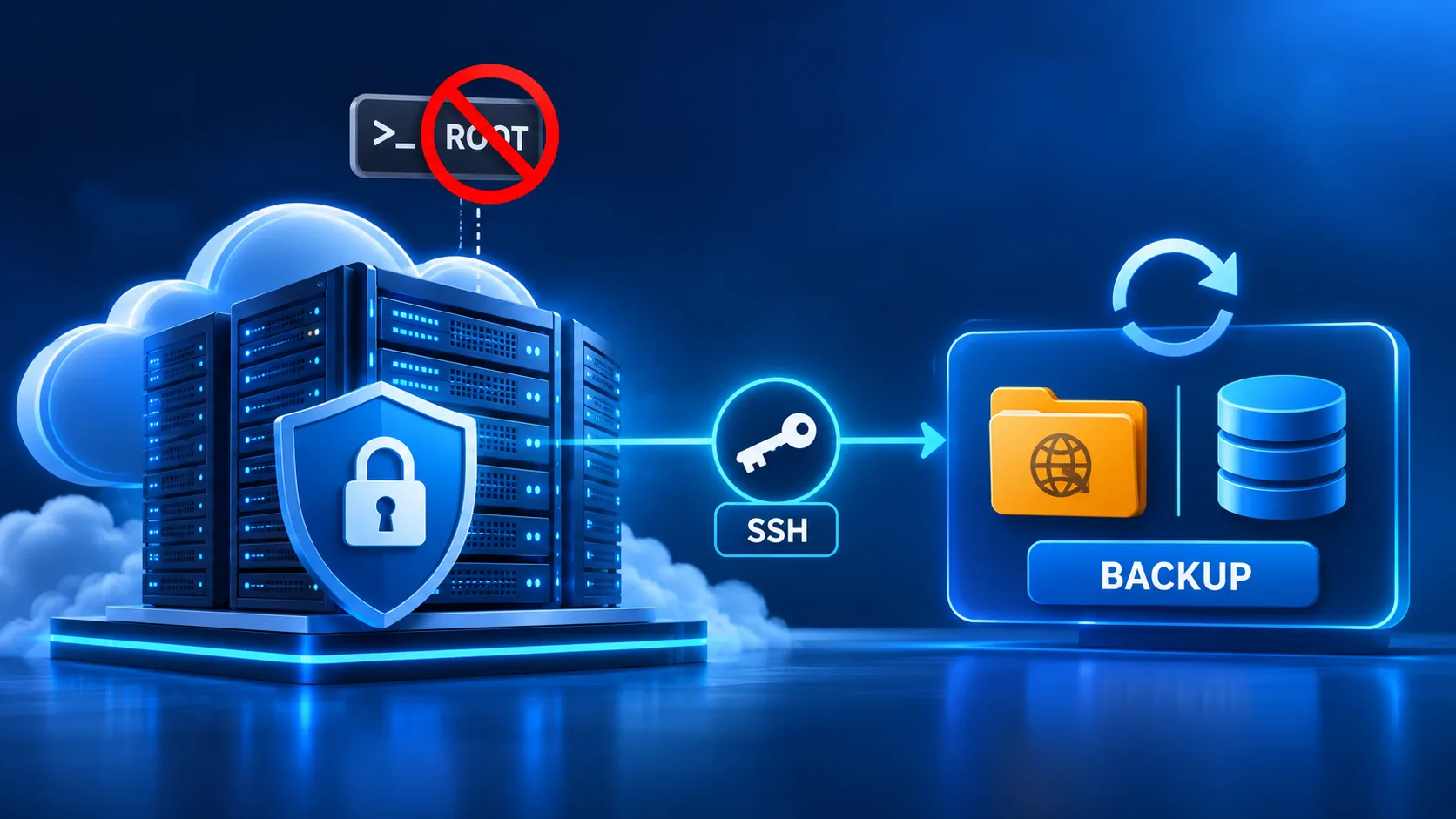
Type sudo su on a Cloudways server and you'll get the same answer every time: permission denied. Not a bug. Not a support ticket waiting to be escalated. It's a deliberate wall. According to Cloudways' own support documentation, the company is unusually candid about why. "There is no way to ensure tools and services core to the platform won't be broken" if root access were handed to customers, the article states. The platform's monitoring, firewall rules and resource isolation all depend on the server staying exactly as Cloudways configured it.
If you've landed here after Googling "cloudways backup" with a knot in your stomach, that knot usually comes from one of 2 places: a migration from a host that did give root, or a backup vendor's sales page that casually mentions "root SSH access required" in the fine print. Neither means Cloudways backup is a dead end. It means the backup tool has to work the way Cloudways actually built the server, not the way a generic VPS guide assumes every server is built, and hosts differ, as how Kinsta separates backup plugins from SSH access shows.
What root access would even buy a backup tool — and why Cloudways won't sell it
Root access is, in plain terms, the master key to a Linux box. It can read any file regardless of ownership. It can restart any service, rewrite firewall rules, and touch the kernel. On a server you fully own, that's just system administration. On a shared, managed platform like Cloudways — where 1 physical server often hosts several customer applications side by side — root in the wrong hands can take down neighbors who have nothing to do with your site.
That's the engineering tradeoff Cloudways made. Per the company's support article, unrestricted root access on a managed server breaks the guarantee that the platform's own tools keep working. Firewalls, automated patching, and resource caps per application all assume the server's baseline configuration stays intact. Hand out root, and any 1 customer can quietly undo it for everyone on that box.
So Cloudways didn't build a half-open door. It built a different door entirely. One scoped to exactly what a backup tool, a deploy script, or a developer actually needs: the application's own files and database, reachable over standard protocols, without touching the platform layer.
The 2 credential types Cloudways actually hands out
According to Cloudways' connection guide, there are 2 distinct credential tiers. The difference matters more than most hosting comparisons let on:
- Master Credentials — server-level. Every application on that server becomes visible with 1 login. Convenient for an agency managing several sites on 1 box. Also the bigger blast radius if that 1 password leaks.
- Application Credentials — scoped to a single application. The login reaches that app's files and that app's database only. A compromised Application Credential can't reach a sibling site on the same server.
We run BackupYourSite's Cloudways connections on Application Credentials by default. It's the less convenient choice on paper — access is set up per site, not once per server. It's the right one anyway. A backup agent only ever needs read access to 1 application's file tree and 1 database. Giving it server-wide reach, just because the option exists, is the kind of unnecessary privilege that security reviews flag for a reason.
3 ways in, none of them root
Cloudways documents 3 supported ways to connect to an application over SSH/SFTP. BackupYourSite's pull sits squarely inside this category, not in the root-access category the platform is protecting against:
- SSH client with a password — fast to set up, fine for a one-off check. Not what we use for a scheduled job.
- SSH client with an SSH key pair — no password sitting in a config file. The connection fails closed if the key is ever revoked. This is what BackupYourSite uses for nightly pulls.
- Cloudways' own browser-based terminal — built for manual troubleshooting inside the dashboard, not for automation.
Cloudways' own support material lists WP-CLI, Composer and Git as tools people run every day over this exact non-root SSH layer. A backup agent reading files and dumping a database is a lighter-weight job than any of those 3. If Cloudways trusts this layer to run `wp db export` and `git pull` for thousands of customers, it's the correct layer for a backup job too. There's no "upgrade to root for backups" tier, because none is needed.
What an SSH-key, Application-scoped backup actually pulls
The mechanics are close to any other SSH-reachable host, with 1 difference worth calling out: Cloudways' per-application directory layout is consistent across every app on the platform. The backup agent doesn't have to guess a webroot path per customer.
A full run does 3 things, in order:
- Connects over SSH using the Application Credential's key, lands in the application's home directory.
- Pulls the file tree — themes, plugins, uploads, any custom code in the app folder — over SFTP.
- Dumps the application's MySQL database and pulls the dump alongside the files.
Database backup is half the job that matters most. It's the half that's easy to skip if "backup" only means copying files. A WordPress site with its files intact but its posts, orders, or form submissions missing from the database isn't a restorable site. It's a static shell with nothing current in it. The Application Credential's database access covers exactly this: read access to the app's own database, nothing on the server beyond it.
Restore follows the same scoped path
The next question that naturally follows "can you connect without root" is "can you restore without root." The answer is the same shape. A restore writes files back into the application's own directory and replays the database dump into the application's own database, using the same Application Credential that pulled it. Nothing in that path needs server-level access.
That symmetry is worth sitting with for a second. If the backup can be taken without root, the restore can be applied without root too. There's no scenario where you back up safely at the application layer and then hit a wall on restore day. We built it that way on purpose. A backup plan that fails you on the 1 day you need it is worse than no plan at all.
Why "least privilege" isn't a buzzword here — it's the whole reason this works
Security teams have a name for giving a tool only the access it needs: least privilege. It sounds like a compliance checkbox until you picture the failure it prevents. If a backup agent's credentials ever leaked — a stolen laptop, a misconfigured CI pipeline, a dependency bug — the damage ceiling is set by what that credential could reach. A leaked Master Credential on a Cloudways server hosting 5 client sites exposes 5 sites. A leaked Application Credential exposes 1.
Agencies make the opposite mistake on other hosts often enough to be worth naming: one root SSH key reused across a whole fleet of client servers, because rotating a separate key per server felt like busywork. Then one client's laptop gets compromised, and the blast radius is every server that key touches, not just that client's site. Cloudways' Application Credential model closes that door by design. There's no server-wide key to leak, because the backup tool was never issued one.
This isn't a Cloudways-specific idea. Per the OWASP access control cheat sheet, scoping a credential to the minimum resource it needs is one of the oldest, most consistently recommended controls in application security. Cloudways just applies it at the hosting-platform layer instead of leaving it to each customer's own SSH habits.
Verifying the backup isn't the same as taking it
A file pull that completes without an error isn't proof the backup is restorable. An SFTP transfer can report success while a database dump gets truncated mid-transfer by a timeout, and nobody notices until restore day. On Cloudways, our verification step checks 3 things after every pull, not just 1.
First, file count against the previous successful run — a sharp drop flags something. Second, the database dump's SQL syntax — a truncated dump fails a parse check before it's ever stored. Third, total archive size trend — a site that's grown steadily for 8 months shouldn't shrink by 40% between 2 nightly runs. Any 1 of those 3 checks failing holds the run in a flagged state instead of silently overwriting the last known-good copy. A corrupted backup quietly replacing a good one is the worst outcome in backup software.
This matters more on a managed platform than a raw VPS. You can't SSH in as root and poke around the filesystem to sanity-check things yourself. The verification has to happen inside the same Application-scoped connection that took the backup — 1 more reason the non-root model holds up under real use, not just in theory.
What happens when Cloudways rotates or revokes a credential
SSH keys and Application Credentials on Cloudways aren't permanent by default. A server migration, a security review, or a plan change can invalidate a key. On a root-based setup, a revoked key just means SSH is broken until you fix it. On a scheduled backup job, a silently revoked key means the nightly run fails quietly, and nobody finds out until the day a restore is needed and there's nothing current to restore from.
Per the credential model in Cloudways' own SSH/SFTP guide, a revoked Application Credential returns a clean authentication failure, not a partial or degraded connection. There's no ambiguous half-success state to misinterpret. We treat any such failure as an immediate alert rather than a retry-and-ignore. A backup system that fails open — silently skipping a run — is worse than 1 that fails loud.
What this means if you're moving off a host that did give you root
Many sites landing on Cloudways come from a VPS or a host like DigitalOcean, where root was just part of the deal. If your old backup setup was a cron job calling `rsync` and `mysqldump` as root, moving to Cloudways isn't a downgrade. It's a change in where the boundary sits. The same 2 operations — file copy, database dump — still run. They just run against an application-scoped login instead of a server-wide one.
1 thing to double-check during that move: any custom script that assumed it could write outside the application directory, like a cron job touching `/etc`. That won't carry over, because Application Credentials were never meant to reach there. That's a server-admin habit, not a backup requirement. It's usually the only piece of an old root-based workflow with no direct equivalent on Cloudways.
Frequently Asked Questions
Does Cloudways support any kind of root access at all?
No. Per Cloudways' own support article, root access is not offered on any plan. Handing it out would let 1 customer's changes break the platform's shared tooling for everyone else on that server.
Which credential type should a backup tool use — Master or Application?
Application Credentials, scoped to the 1 site being backed up. Master Credentials work technically, but they expose every application on the server to whoever holds that login. That's more exposure than a backup job needs.
Can a non-root SSH connection actually reach the database, or just the files?
Both. The Application Credential includes access to that application's own MySQL database, separate from file access. A files-only backup without the database isn't a complete, restorable backup.
Will restoring a backup to Cloudways need root access?
No. Restore writes to the same application directory and the same application database the Application Credential already reaches. Same scope as the backup, in reverse.
Does Cloudways' no-root policy apply to every plan, including higher-tier ones?
Yes. The root-access restriction is a platform-level decision tied to how Cloudways isolates applications on shared infrastructure. It isn't gated behind a pricing tier.
If you're deciding whether BackupYourSite's backup engine fits a Cloudways stack, the short version is this: it was never built to need more than Cloudways already gives every customer. For the scheduling side — what happens when a site goes quiet for a week and the usual triggers don't fire — see backup schedules that survive a quiet week. For the mechanics of the nightly pull itself, laid out step by step, see how BackupYourSite works.